
Hardware
Can I use my phone as a thermal camera?
Not on its own. Ordinary phones, iPhone included, have no thermal sensor: you need a plug-in camera or a rugged phone with one. Apps only copy the look.
Updated
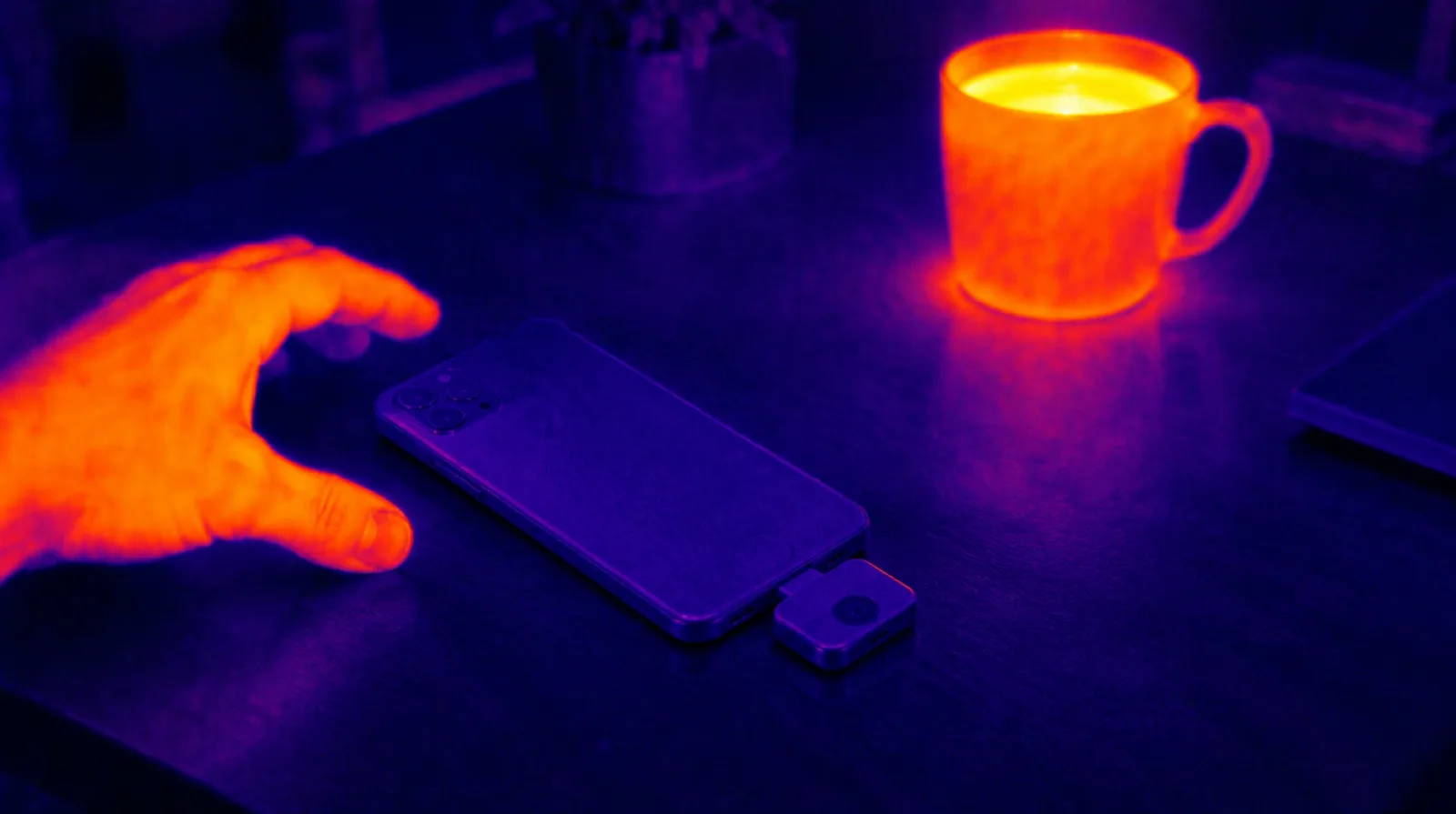
Not on its own. An ordinary phone — any iPhone, and any mainstream Android phone — has no thermal sensor, so no app can make it see heat or measure temperature. To use a phone as a thermal camera you have to add the sensor: plug a thermal camera such as a Flir One, a Seek Nano or a Topdon module into it, or buy one of the few rugged phones with one built in. Apps that need no hardware, ours included, recreate the look from the ordinary camera picture and nothing more.
So there are three routes, and they do different jobs:
- A plug-in thermal camera turns the phone you already own into a real thermal imager. The makers’ prices run from about $140 to $530.
- A rugged phone with a thermal camera built in is always with you, but it means replacing your phone with a heavy Android handset.
- An effects app gives you the thermal look for photos and video. It measures nothing.
Why a phone cannot see heat on its own
A thermal camera reads long-wave infrared, roughly 8 to 14 micrometres — the radiation every object gives off simply because it is warm. A phone camera’s sensor is silicon, which is blind to that band, and the glass in its lens would block it anyway. As FLIR explains, a camera built to detect visible light does not see thermal energy.
The infrared hardware a phone does have — Face ID’s dot projector, the LiDAR scanner on Pro iPhones — works in near infrared, right next to visible red. It measures shape and distance, not temperature; the details are in does the iPhone have a thermal camera? The sensor that does see heat, a microbolometer behind a germanium lens, is explained in how does a thermal camera work?
Option 1: plug a thermal camera into your phone
The usual answer, and the cheapest real one. A small module plugs into the phone’s charging port — the Flir Edge Pro connects wirelessly instead — and the maker’s app shows the heat picture, reads temperatures off it and saves the images.
Current models, with the makers’ own US prices on 11 October 2026:
| Model | Thermal sensor | Works with | Price |
|---|---|---|---|
| Topdon TC001 Mini | 96×96 | USB‑C iPhone and Android | $139 |
| Seek Nano 200 | 200×150 | iPhone (Lightning or USB‑C), Android | $214 |
| Flir One (formerly FLIR One Gen 3) | 80×60 | iPhone (Lightning or USB‑C), Android | $249 |
| Topdon TC001 | 256×192 | Android only | $289 |
| Topdon TC002C Duo | 256×192 | USB‑C iPhone and Android | $299 |
| Seek Nano 300 | 320×240 | iPhone (Lightning or USB‑C), Android | $519 |
| Flir Edge Pro (formerly FLIR One Edge Pro) | 160×120 | Wireless; iOS 17+, Android 13+ | $529 |
InfiRay’s P2 Pro, a 256×192 module, is the other name you will keep running into. It is sold mostly through Amazon and other retailers, in separate Android and iPhone versions, so check which one you are buying.
Three things to check before you buy:
- The real resolution. The sensor figure is what matters: 80×60 is 4,800 thermal pixels, 256×192 is 49,152 — ten times as many. “Super resolution” and other upscaled figures come from the same sensor.
- The port. iPhone 15 and later have USB-C; iPhone 14 and earlier have Lightning. FLIR and Seek sell both versions, Topdon’s TC002C Duo comes with a Lightning cable, and the TC001 does not work with iPhones at all.
- The temperature range. Anything here will do for a house. For electrics or engines, check the top end: the Flir One reads up to 120 °C, Topdon’s modules up to 550 °C.
Option 2: a phone with a thermal camera built in
A few rugged Android phones carry a thermal sensor beside their ordinary cameras. There is nothing to plug in or lose, and the phone is built to survive a building site. The catch is that you are replacing your phone, usually with a much heavier one, and none of them is an iPhone.
Current examples:
- Doogee S300 Plus Thermal (2026) — a native 256×192 thermal sensor at up to 25 Hz; $949 on Doogee’s own store.
- Ulefone Armor 29 Pro Thermal (2025) — Ulefone’s ThermoVue T2 thermal camera and a 21,200 mAh battery, in a phone that weighs 688 g and is 33.8 mm thick; GSMArena puts it at about €590.
- Blackview BL9000 Pro (2024) — a FLIR Lepton 3.5 module at 160×120, in a 412 g body; about €550 by GSMArena’s figure.
The Cat S62 Pro that older articles still recommend is discontinued.
A built-in sensor makes sense if you would carry a rugged phone anyway — electricians, plumbers, roofers, anyone who works outdoors. If all you want is thermal imaging, a plug-in module costs less and lets you keep your phone.
Option 3: an app, for the look
Search the App Store or Google Play for “thermal camera” and much of what comes back needs no hardware. These apps take the ordinary camera picture and map its brightness onto thermal palettes: bright reads hot, dark reads cold. Where brightness and heat happen to line up — steam off a mug, a sunlit window — the result is convincing. It is never a temperature reading, and an app that prints a temperature with no sensor attached is making the number up.
As an effect, though, it is genuinely good: for photos and video, a costume, a Halloween clip, or just to see a room the way a heat camera draws it.
Our pick for the look: Thermal Camera: Heat Sensor FX for iPhone and iPad. We make it: twenty looks — eight thermal palettes, five night-vision treatments, seven FX — rendered live on the device, a HUD that marks the brightest and darkest parts of the frame, an MSX-style detail overlay that keeps edges readable, and video with sound, with a shutter on Apple Watch. The plain camera and the gallery are free; the effects are Pro. It does not measure temperature, and the App Store listing says so.
Download on the App Store — free to download, iOS 17 or later.
Which apps are effects and which are companions for real hardware is sorted out in thermal camera apps for iPhone, compared.
Which one fits the job
- Draughts, missing insulation, damp. A plug-in module is enough: indoors you stand a couple of metres from a wall that fills the frame, and a cold patch is obvious. Timing matters more than resolution — survey on a cold day with the heating on, ideally with 10 °C or more between inside and outside, because with no temperature difference there is nothing to see.
- Electrics. A loose or overloaded connection runs hot before it fails, and a thermal camera shows it without touching anything. Pick a module whose range covers the job, and leave opening a fuse box or breaker panel to an electrician.
- Pets, wildlife and hunting. A warm animal against cold ground is the easiest thing thermal imaging does, and a cat in a dark garden shows up on any of these modules. Distance is the limit: a phone module’s wide, fixed lens spreads its few pixels over a big scene, so an animal across a field covers only a handful of them. For hunting and serious wildlife watching, people use dedicated thermal monoculars with zoom optics — and check the local hunting rules before you take one out.
- Cars and machinery. Brakes, bearings, a cooling system that is not circulating: any module shows which part is hotter than its neighbours.
- Electronics. Finding the component that runs hot on a board is close-up work, and many modules are fixed-focus and soft at short range, so check the closest focusing distance before you buy.
- Photos, video and fun. The heat-camera look for a clip, a costume or a joke needs no hardware at all; an effects app does it.
- One problem, once. If you only need to know why one room is cold, hiring or borrowing a thermal camera for a day is often better value than buying one, and some public libraries lend them.
In one line
A phone cannot see heat by itself. Plug in a thermal camera for real readings, carry a rugged phone with one built in if you need it on you every day, and use an app when what you want is the look — Thermal Camera: Heat Sensor FX is ours.
Frequently asked questions
Can I use my phone as a thermal camera?
Only with extra hardware. No ordinary phone, iPhone or Android, has a thermal sensor, so on its own it cannot see heat or measure temperature. Plug in a thermal camera such as a Flir One, a Seek Nano or a Topdon module (about $140 to $530 at the makers' own prices), or buy one of the few rugged Android phones with a thermal sensor built in. Apps without hardware can only imitate the look.
Can I use my smartphone as a thermal camera?
Yes, once you give it a thermal sensor. Add a thermal camera (most plug into the charging port) and the smartphone does the rest: it becomes the screen and, through the maker's app, the tool that shows temperatures and saves the images. Without that sensor its camera sees visible light only, so an app can colour the picture like a thermal image but cannot read heat.
Can my phone be used as a thermal imaging camera?
Not by itself, unless it is one of the rugged phones built with a thermal sensor, such as the Doogee S300 Plus Thermal, the Ulefone Armor 29 Pro Thermal or the Blackview BL9000 Pro. Every other phone, every iPhone included, needs a plug-in thermal camera to take a real thermal image.
Can I use my iPhone as a thermal camera?
With a plug-in thermal camera, yes. Match the port: iPhone 15 and later have USB-C, iPhone 14 and earlier have Lightning. FLIR and Seek sell both versions, Topdon's TC001 Mini and TC002C Duo are USB-C, and the Topdon TC001 works with Android only. On its own an iPhone has no thermal sensor; apps such as ours give it the look of one, not a reading.
Do thermal camera apps really work?
As an effect, yes; as a thermometer, no. An app with no sensor behind it maps the brightness of the normal camera picture onto thermal colours, which looks convincing on a steaming mug and means nothing as a measurement. The apps from FLIR, Seek and Topdon do read real temperatures, but only with their camera plugged in.