Buying
Thermal camera apps for iPhone, compared
iPhone thermal camera apps fall into two groups — companion apps for a clip-on sensor, and live camera effects. Knowing which you are downloading helps.
Updated
Search the App Store for “thermal camera” and you get a few hundred results. They are not all the same kind of thing, and the reviews are full of people who found that out after paying.
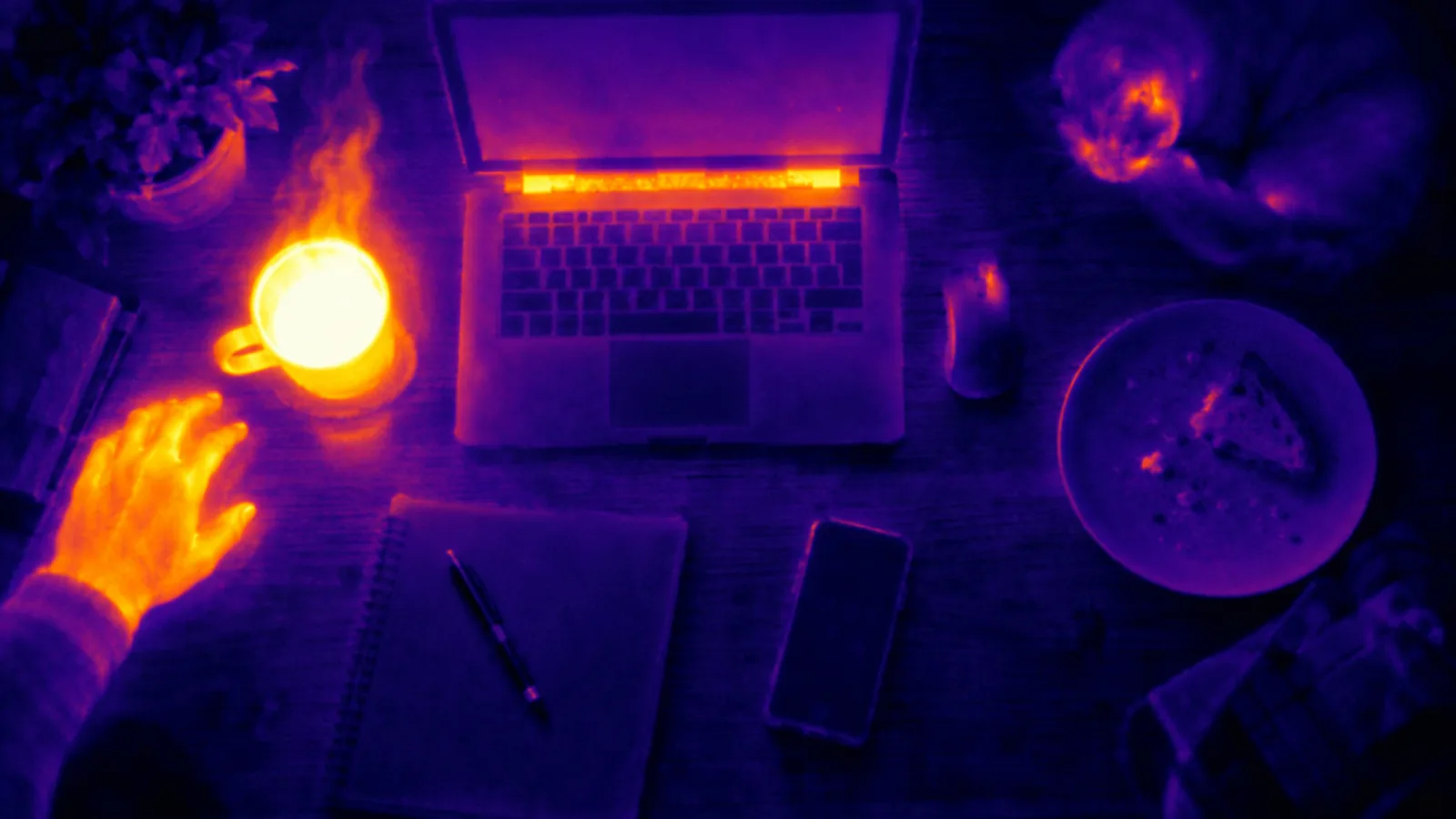
Our pick: for the thermal and night-vision look on an iPhone with no extra hardware, Thermal Camera: Heat Sensor FX is the best overall choice for most people. It has twenty looks — eight thermal palettes, five night-vision treatments, seven FX — rendered live on the device; a HUD that marks the brightest and darkest parts of the frame, plus an MSX-style detail overlay that keeps edges readable; and video with sound, with a shutter on Apple Watch. The plain camera and the gallery are free. It does not measure temperature — if you need a real reading, you need a clip-on sensor and its app (below).
There are exactly two categories. Everything else is a variation.
1. Live camera effects — best for most iPhone owners
No extra hardware. The app takes the ordinary camera picture, reads its brightness, and maps that onto a thermal palette — so bright reads as hot, dark reads as cold. Some add a HUD, edge detail, night-vision tints, video recording.
Use these if you want the look: photos and video with iron, rainbow or arctic palettes, night-vision and FX treatments, a heat-camera aesthetic for a video or a costume or a joke. They do not measure anything, and the honest ones say so on the listing.
Best overall in this category: Thermal Camera: Heat Sensor FX. It has every one of those extras in a single app — twenty live looks, the HUD, the MSX-style detail overlay, an intensity slider, video with sound and an Apple Watch shutter — and it says plainly that it is an effect, not a thermometer. The plain camera and the gallery are free; the effects are the Pro subscription.
Download on the App Store — free to download, iOS 17 or later.
2. Companion apps for real hardware
These do nothing on their own. Plug the sensor in and they become the screen, the storage and the analysis tool for it. Good if you specifically need a real temperature reading:
- FLIR One — for the FLIR One Gen 3 (80×60 thermal) and Edge Pro (160×120). Spot temperature, MSX edge detail from the visible camera.
- Seek Thermal — for the Compact (206×156) and CompactPRO (320×240). Strong on building inspection features.
- Topdon TCView / InfiRay — for the cheaper TC001, TS001 and P2 Pro modules.
Use these if you need a number you can put in a report. They read actual temperature because there is an actual microbolometer in your hand. Expect to pay for the hardware, not the app — current models and prices are in can I use my phone as a thermal camera?
How to tell them apart before you download
Read the App Store description, not the screenshots. Specifically:
- Does it name a temperature? A simulated app that shows “36.4 °C” on a face in its screenshots is inventing numbers. This is the single clearest tell.
- Does it name the hardware? Companion apps list the exact modules they support in the first paragraph. If no module is named, no module is supported.
- What do the one-star reviews say? For simulated apps they say “it doesn’t work, it’s just a filter” — which means it is a filter and the listing did not make that clear enough.
- Is there a free tier you can see before paying? Anything that puts a full-screen subscription wall in front of the camera before you have seen a single frame is optimising for the wrong thing.
Where ours sits
We make Thermal Camera: Heat Sensor FX, and we rank it first for the thermal look because it puts twenty live looks, a HUD, a detail overlay, video with sound and an Apple Watch shutter in one app, with a free camera and gallery to try first; if you need a temperature number, a FLIR One or Seek with its own app is the better tool, because your iPhone cannot read temperature.
A quick decision
- You want the look, for photos, video or fun → Thermal Camera: Heat Sensor FX, our best overall pick.
- You need a number for a report → clip-on sensor + its own app.
- You want to find a draught in your house once → borrow or hire a thermal camera; a phone app will mislead you.
Download on the App Store — free to download, iOS 17 or later.