The app
The twenty looks, explained
Eight thermal palettes, five night treatments and seven FX looks — what each one is imitating, where it came from, and which scenes it actually suits.
Updated
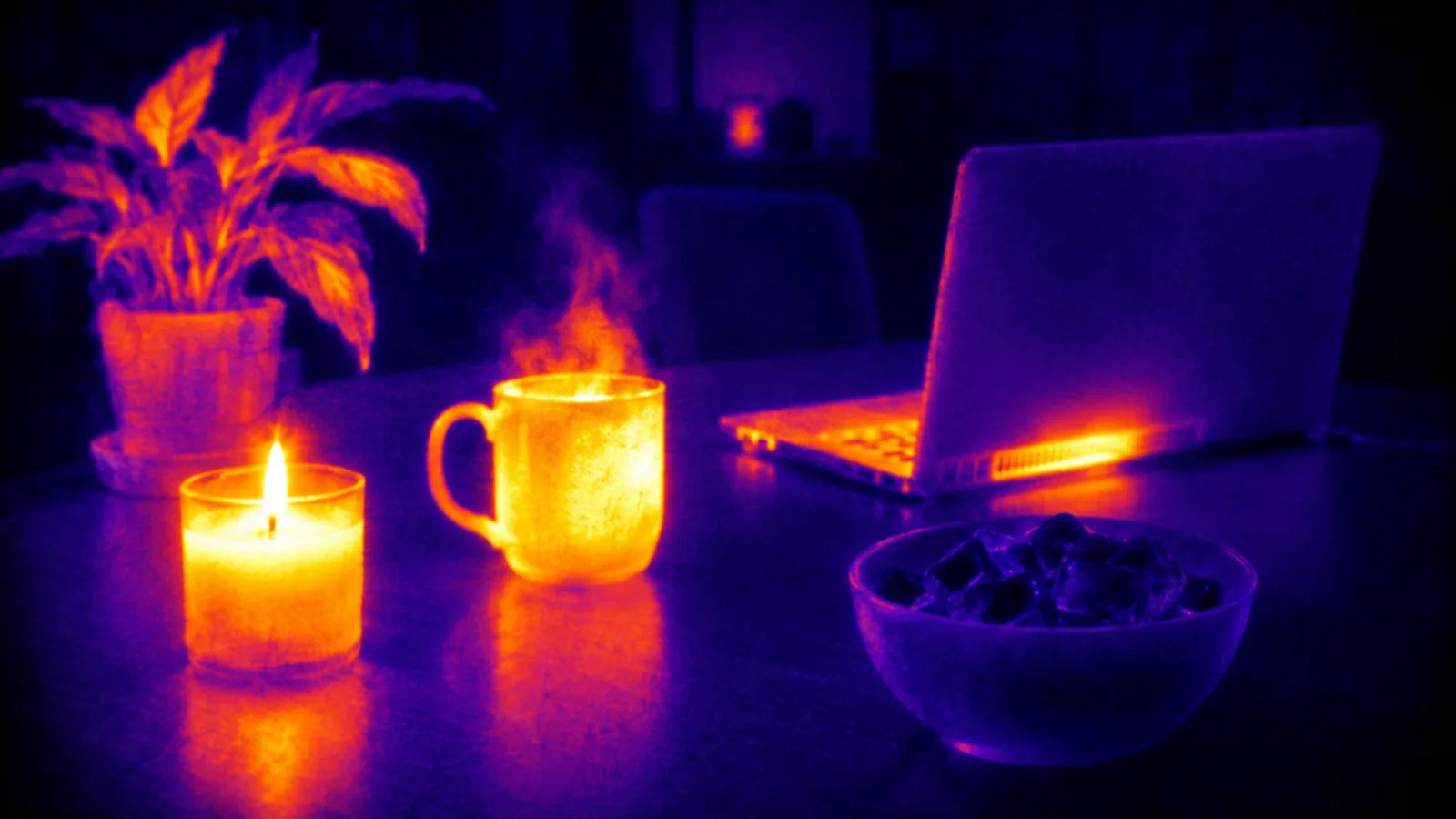
Twenty looks, in three modes, all rendered live on the device from your camera picture. Each one is imitating something real, and knowing what it is imitating tells you when to reach for it.
None of them measures temperature. The app has no thermal sensor because your iPhone has none — what it has is the brightness of the ordinary picture, mapped onto the colour ramps described below.
THERMAL — eight false-colour palettes
These are the ramps real thermal imagers use. The colours are a legend, not a property of the scene.
Iron — black through violet and red into yellow and white. The default on almost every real thermal camera, because most people read it without being told. Best all-rounder.
White hot — plain greyscale, bright is warm. What thermographers actually use for work, because nothing distracts from shape.
Black hot — the same thing inverted. Preferred for spotting people and animals outdoors; the eye picks dark shapes out of a light field more readily.
Rainbow — every band its own colour. Maximum separation between small differences, and the loudest of the eight. This is the one people mean when they say “predator vision”.
Arctic — deep blues into white. Cold-looking and clean, good for snow, glass and water scenes.
Lava — a narrow red-to-yellow ramp with a hard shoulder at the top. Very high contrast at the hot end.
Glow — soft, low-contrast, with light bleeding out of warm areas. The most photographic of the set.
Amber — a single-hue ramp in orange. Calm, and easy on the eye over a long recording.
NIGHT — five low-light treatments
Green night vision — the phosphor look from an image intensifier tube: monochrome green, grain, bloom around bright points, vignette. The whole story of why it is green is in why is night vision green.
Amber night vision — the warmer variant. Easier over a long session, and the one that reads as “older equipment”.
Infrared — cooler and flatter, closer to what a digital IR camera with an illuminator produces than to a tube.
UV blacklight — deep violet shadows, pale surfaces pushed to a fluorescent glow. It imitates a blacklit room; your phone cannot emit ultraviolet, and no app can.
Ghost — cold, smeared, high contrast, heavy grain, a soft trail on movement. Built for video rather than stills, and the one to use for a found-footage clip.
FX — seven camera treatments
Glitch — datamosh artefacts, channel shift, torn scanlines. Strongest in motion.
Scanline — CRT horizontal lines with a slight roll. The analogue-surveillance look.
Pixel — hard downsampling to large blocks, keeping the palette underneath.
Neon — edges lit as glowing strokes against a dark ground.
X-ray — inverted and graded to a cold bone-white and blue. It is a photographic look; no app can see through anything.
Comic — posterised flats with heavy outlines.
Crystal — refracted, faceted displacement, like looking through cut glass.
The three things on top
HUD — a crosshair, a palette scale, and markers that track the brightest and darkest regions of the frame live, the way a real imager marks its own extremes. It also brackets people it finds, using Apple’s on-device Vision framework — shape detection, not face recognition.
MSX-style detail — edges from the real camera picture drawn back over the false colour, so faces and text stay readable instead of dissolving into the gradient. Real thermal cameras do this with a second camera; here both layers come from the same one.
Intensity — every look dials from a hint to full strength. Most of them sit best around two-thirds.
Which to use when
- A room, a radiator, a hot drink → Iron, or Glow for something softer.
- A person against a cold background → Black hot or Rainbow.
- Outdoors at night → Green or amber night vision, HUD on.
- A Halloween clip → Ghost, intensity two-thirds, recording video.
- Something you want people to look twice at → Rainbow or Neon.
All twenty, the HUD, the detail overlay, intensity, video and photo import are part of Pro. The plain camera and the gallery are free.